

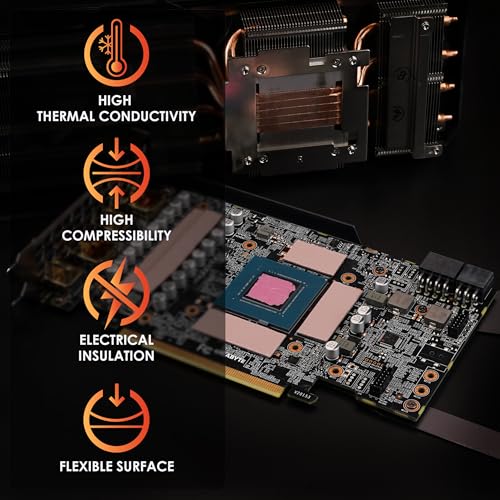



❄️ Cool tech, hot performance — stay ahead of the heatwave!
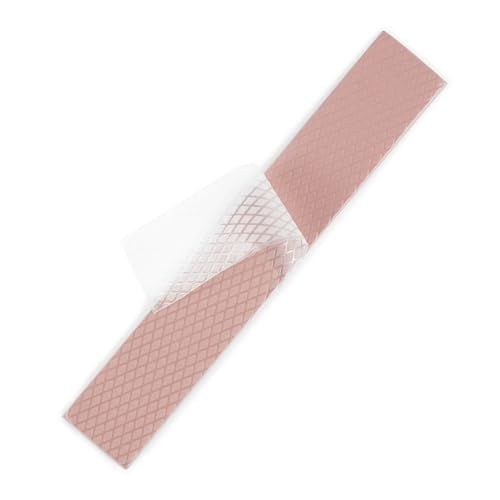
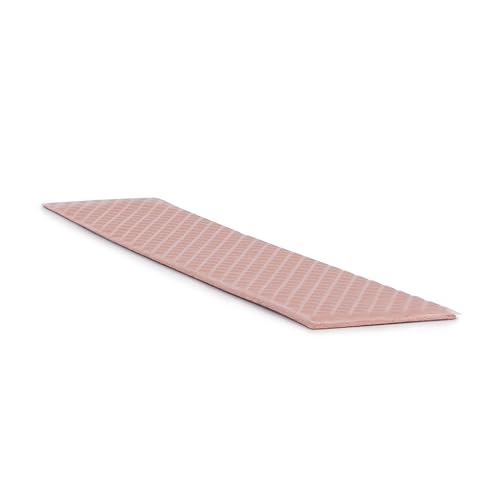
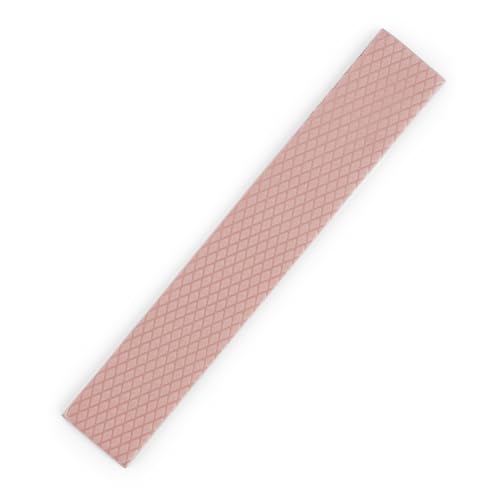
Thermal Grizzly Minus Pad is a premium 0.5mm thick thermal interface pad engineered with ceramic silicone and nano-aluminum oxide to deliver 8 W/m·K thermal conductivity. Its flexible, electrically non-conductive structure fills gaps between components like GPUs and SSDs, reducing operating temperatures by up to 20°C. Ideal for scenarios where thermal paste is impractical, it offers professional-grade cooling performance with easy, precise application.


| ASIN | B00ZJT31QC |
| Best Sellers Rank | #3 in Thermal Pads #422 in Computer Keyboard & Mouse Combos |
| Brand | Thermal Grizzly |
| Cooler Heatsink Compatibility | Aluminium |
| Cooler Heatsink Material | Aluminum |
| Date First Available | June 13, 2015 |
| Department | Default Category |
| Global Trade Identification Number | 00753677507289 |
| Is Discontinued By Manufacturer | No |
| Item Weight | 0.32 ounces |
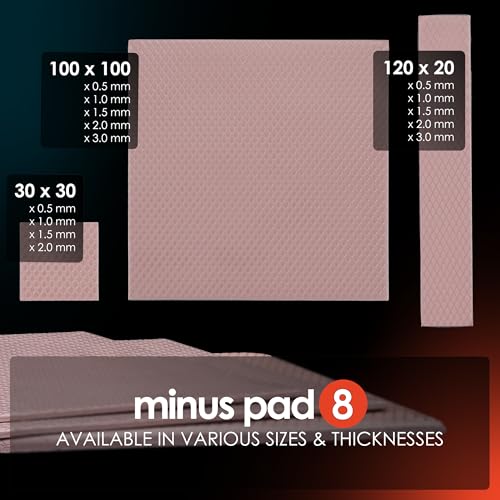
| Item model number | 120x20x0.5 |
| Manufacturer | Thermal Grizzly |
| Mounting Type | Panel Mount |
| Product Dimensions | 0.02"H |
| UPC | 753677507289 |
J**A
Great Product! - Patched up my EVGA RTX 2080 Super like a dream
These thermal grizzly pads are awesome - high performers. They are more expensive for the size though so I bought this 120x20x1mm to apply to the high heat areas like the VRAM on the baseplate. I paired these grizzlys with a cheaper 1mm alternative with a lot more surface area to work with for the less sensitive areas and the backplate (the blue stuff in the image). The combo worked like a dream. These pads don't deform or elongate at all when removing the film, unlike the other brand I was using (AIYANNI). This made it really easy to apply and stay in place (and cut to precise rectangular areas) and just sticky enough! As far as the orientation, I would recommend FLAT side down on components and rough side upward because this will make it easier to remove baseplate in the future without tearing off pads since they will have a better adhesion to the PCB components. When it was all said and done, my card was 20 degrees C cooler!! This was at both resting and full-load. If anybody was worried about the different size of pads on this specific card, fret no more! 1mm is perfect for all areas! Just be sure to carefully cut and apply to the correct areas and components, and you're set!
K**R
Amazing product!
Amazing quality! Used it for my Lenovo Legion gaming laptop to replace some of the thermal pads / putty! Worked really well and dropped temps by like 10-20°!! (Either that or it was because I cleaned the fans, which weren't that full of dust)
M**6
Easy to install and work effectively to help control the SSD temperatures in my QNAP NAS
I am computer/electronics literate but certainly no expert. I purchased the Thermal Grizzly interface pads for mounting heatsinks on the 5 x Western Digital 4Tb SSDs installed in my QNAP NAS (TBS-h574TX-i5-16G-US). They were straightforward to install and have worked effectively controlling the operating temperatures of the 5 SSDs. I estimate, using before and after measurements, the combination of the Thermal Grizzly pads and the QNAP heatsinks reduce the operating temperatures of the SSDs by ~8-10 degrees Celcius. I would recommend them for any NAS application assuming they fit the space available around the drives.
J**T
Thermal Grizzly Thermal pads.
Another high quality product from Thermal Grizzley. Keeps my M.2 drive cool and easy to apply, very sticky and durable.
A**N
Great product
Bought it for my ps4. It went beyond my expectations. I had never changed the thermal components of my PlayStation. It was never too loud but I definitely felt like it be good change it. Really easy to spread, great heat transfer, I mean I thought my ps4 wasn’t loud then but when I changed the thermal paste and added those thermal pads it completely changed everything, I can’t even hear it.
G**S
Perfect for replacing your laptop
I reposted my laptop and these work just as intended. Knowing what size and depth is a must when repasting, so please keep that in mind. Packaging was okay, I can see how easily the paste strips can get messed up inside the packaging on delivery.
C**S
Great pad replacements for GPUs
Great stuff overall. Very easy to cut to size and apply. Saw substantial temperature improvement when applied on a 3060 12GB used in a local AI application. In addition to overall thermal performance, acoustic levels dropped substantially due to lower temperatures. Overall a great upgrade for the price and appears to be something that will make a lasting improvement.
C**.
Good Pads. I recomend.
My first time using these pads, you gotta be really delicate when cutting as you only get two strips. They are thick enough for replacing other pads on the ps4. They fit well. Worth the price, still have 1 strip left. Got the hang of cutting it now so it's easy to use. Quality, so they will last till next visit to ps4.
Z**D
Ps4 pro went from jet engine to quiet as a tomb, put one on the hdmi chip too, makes all the difference.
A**N
Se pega y funciona bien.
S**H
Bought from Scorpzon trading, received freshly imported, totally geniune product, when I checked the label, found that the seller Scorpzon is the official importer for thermal grizzly products in India, came in a resealable pouch, used it for my MSI gaming Laptop to replace the factory installed thermal pads. Works as advertised, easy to stick, don't forget to remove the protective film from both side of pad before installing.
A**H
These pads are good enough to cool down a card little more than stock pads. For 3080 you have to use 2mm on front side and 3mm on back side. Generally people don't change back side. I have also only applied on front side only. The results aren't extraordinary. I have pushed my oc and reached 102. That's the max. But I've lowered down it to 99-100 now. I was trying to test the card that's why I pushed it further. The card throws huge amount of heat, and thermal pads are very expensive. This minus pad is good enough to hold at some level. But you'll have to keep it cool. You room temperature should be cool. If you have any questions regarding this, reach out to me. Check out Computer and Mining Rig's Building (customisable) on Google! You'll find me here. I assemble computer dedicatedly, being a Mining rig doesn't change much, it's only another computer for me. Talking about temp. It actually increased outer temp for 4-5 degrees after applying this pads. But improved hashrate of 10+ MH/s. You may consider this as there are number of brands to go after. Only plenty of them to reside. 1. Thermal right extreme 2. Minus pad thermal grizzly 3. Gelid extreme Don't use gelid ultimate. Don't use thermal right ultimate Use better wk pads. Use proper size pads. Apply them properly, with measurements. Have a tutorial running in front of you while working. Be gentle with the tiny connections inside. Most importantly, if you don't apply good thermal paste (mx4) properly. Or used less than required or more than required, then also you will face bad results. Try applying in x pattern with dots. It'll work. If it doesn't give results. Reapply paste by cleaning properly. Good luck! ✌🏻
R**K
This a great product to mantain low temperatures of electronic components around CPU and GPU. It's a bit expensive but quality is good. Easy to apply due to its due to small size and good quality paste. The Functionality and performance increases when used in combination with Kryonaut. Temperature around GPU and CPU were around 80-90 Deg celcius. After application the Temp of device hovers between 40-50 at room temperature.
Trustpilot
4 days ago
2 months ago


