
🖤 Silence Meets Power: The Ultimate Blackout Cooling Icon
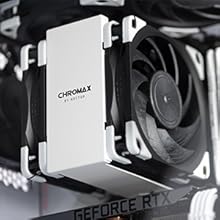
The Noctua NF-A12x25 PWM chromax.black.swap is a premium 120mm case fan designed for professionals demanding top-tier airflow and whisper-quiet operation. Featuring advanced engineering like Flow Acceleration Channels and Sterrox® LCP construction, it delivers 102.1 m³/h airflow at a max 2000 RPM with minimal noise (22.6 dB(A)). Its 4-pin PWM control offers precise speed modulation, while customizable anti-vibration pads let you tailor both performance and style. Backed by a 6-year warranty, this fan excels in cooling CPUs, radiators, and cases with unmatched reliability and aesthetic versatility.







| ASIN | B09C6DQDNT |
| Air Flow Capacity | 102.1 Cubic Meters Per Hour |
| Best Sellers Rank | #24 in Computer Case Fans |
| Brand | Noctua |
| Brand Name | Noctua |
| Compatible Devices | Desktop |
| Cooling Method | Air |
| Customer Reviews | 4.8 out of 5 stars 3,153 Reviews |
| EU Spare Part Availability Duration | 1 Years |
| Global Trade Identification Number | 09010018100549 |
| Included Components | Camera Body |
| Item Dimensions L x W x H | 4.72"L x 4.72"W x 0.98"H |
| Item Height | 2.5 centimeters |
| Item Weight | 300 Grams |
| Manufacturer | Noctua |
| Material Type | Sterrox® LCP |
| Maximum Rotational Speed | 2000 RPM |
| Noise Level | 22.6 Decibels |
| Power Connector Type | 4-Pin |
| Product Dimensions | 4.72"L x 4.72"W x 0.98"H |
| Unit Count | 1.0 Count |
| Voltage | 12 Volts |
| Warranty Description | 6 year manufacturer’s warranty |
| Wattage | 1.2 watts |
E**N
Better airflow. Better noise performance. Better quality.
Setup (Idle): 1) NF-A12 as an intake fan (1400 RPM) 2) ARCTIC P12 as exhaust. (1300 RPM) 3) CPU Heatsink: Noctua NH-U12S chromax.Black paired with NF-F12 120mm (500 RPM) Under load: GPU temps never rise above 68*C. The key difference between the NF-A12 and the ARCTIC P12 is that the NF-A12 never lets the hot air stay in the case long enough to get hot. It truly moves air extremely well. And that's with just one NF-A12 intake fan. Next experiment: I will be adding an other NF-A12 as an exhaust fan to see if it improves temperatures even more. I do not know if older iterations had complete sets of 4 bumpers for each color, but the current version has four bumpers for all of the colors available, including black. There is also a sound dampener, I think? Please see photo. Important note: Reviews stating that there are only gray bumpers must be older versions. If you purchase it as of February 25, 2024, rest assured you will receive four black bumpers. It also comes with hardware - four screws. Be aware that the threading is very tight. If the fan is in a position that is hard to tighten the screws, please have patience. I dropped the screws at least four times. This is good, though. That means the material is not low quality. My only caveat is that the length of the cable that comes with the fan is a little too short. I was barely able to reach the SysFan header at the bottom of the motherboard. Please see photo. The cable has a sleeve so it makes for a bad bend when you insert the 4-pin connector to the SysFan pins. Be careful not to force it or else you could damage the pins and the motherboard. Most motherboards were not designed to accommodate enough space for 4-pin cable and sleeves like this. Usually, case fans or fans in general come with 4-pin wires that have no sleeves so it is much easier to cable manage and maneuver around small openings. I would have preferred a longer cable as most cases these days have good cable management. You can loop it to the back of the case and get rid of cables hanging over your motherboard. Noctua made it too short and not long enough. The cable does not know whether to be short or long. It is a bad length. I have a slightly larger than usual, mid-tower case - NZXT H7 Flow. It is larger than the NZXT H500. For smaller mid-towers, you should be okay. And if you have the NZXT H7 Flow, it should be okay as well, as I had about 1-2 inches of cable to pull on. At 1300-1400, it becomes quite audible. But the idea with this fan is to keep it at around 500-900 RPM because that's where it's most quiet and moves a lot of air. Even at 1400 RPM, I cannot hear it from where I am sitting, although there is a slight hum. I have my PC case underneath my desk, so please keep that in mind. With NZXT case fans, I can clearly hear them. And with ARCTIC P12s, I can barely hear them, if at all. Compared to the ARCTIC P12, they both have different sound or noise signatures. The NF-A12 has a much more rounded sound. Not nearly as grating as the ARCTIC P12. If I had to choose, I would go with the A12x25. I am very sensitive to noise and I have excellent hearing. If you are sensitive to sound and you have high sensory, then please keep this in mind. I think for those reasons, some people are buying The Noctua NF-A12x25 as case fans. I am using it as case fans. I wanted a quiet fan that outperforms other case fans in terms of air flow and getting rid of hot air from inside the case while remaining quiet/silent. Even then, I think I hear a slight hum from the NF-A12x25, where as the ARCTIC P12 does not have a hum at all. Arguably, the P12 is quieter and more silent than the A12x25. It is only when you put your ear directly next to the P12, you can hear its sound or noise signature. Ultimately, the NF-A12 is not significantly better than the ARCTIC P12. It is more like a sideways upgrade. It depends on what you prefer. As far as temperatures, The NF-A12 slightly edges out the P12 by a couple of degrees (Celsius). Nothing to write home about. If you already have the P12 and you are not bothered by its sound and noise levels, then stick with them. The value of the P12 is difficult to beat. A 5-pack of ARCTIC P12 is about $24, but one NF-A12 is about $35. The extra accessories such as the bumpers stay in the box because I purchased it to match the black and white theme for my case. Again, there are four black bumpers despite what other reviews have stated. But not eight bumpers to cover all corners. I think that is what other reviewers were alluding to, but it isn't the biggest deal. I would have preferred eight black bumpers and no other colors, and an extra cable that is longer. If you are planning to use the NF-A12 as an exhaust fan, I do not think it will reach one of the top 4-pins on the motherboard. If it does, it will probably droop over the motherboard. When it comes to NF-A12 as an intake fan, I cannot confirm with absolute certainty that it has improved my GPU hot spot temps, but it has dropped from 42*C (with ARCTIC P12) to 38*C (with NF-A12), so far. For the first time, my GPU temp and Hot Spot temps, according to HWMonitor, is within 8*C of one another while idle. This is considered excellent. Ultimately, the NF-A12 is difficult to recommend over excellent value propositions such as the ARCTIC P12. The NF-A12 moves significantly more air, but idle temps are only slightly better by 2-3*C. The more rounded noise or sound signature is preference, as the ARCTIC P12 is nearly inaudible unless you put your ear next to it. The NF-A12 has a humming sound that I can hear even though my PC is underneath my desk. That is about 3 feet away from my ears. Where as with the ARCTIC P12, I was unable to hear any humming noise. With that said, if you have the ARCTIC P12, you may want to consider hanging onto them and save your money. The value proposition just isn't there for me. I do not plan to return it, though. I like experimenting with different case fans to get the lowest probable temps while idle or under load. The humming noise kind of bothers me even with headphones on, listening to music. The NF-A12 @ 1300-1400 RPM isn't as quiet as some reviewers make it out to be and it can be misleading due to biases and echochambers. Update: While my previous assessment noted that the NF-A12 is more of a side upgrade, I have changed my conclusion to it being a superior case fan than the ARCTIC P12. The main reason being because it has effcient airflow. It moves hot air out of the case far better than the P12. Temperatures in every category have improved and it doesn't let the ambient temperature climb. It gets rid of the heat and doesn't let temperatures become too hot. This is the key factor and difference the A12 does far better than the P12 and other generic case fans.
M**N
Expensive but worth every penny. Exceptional engineering and build quality.
Most people would balk at the idea of spending $35 for a 120mm fan, when there are literally hundreds of other options in the $5 to $10 range. However, if you are looking for the pinnacle of quality, reliability and as close to completely silent operation as possible, then this fan is worth the entry price. Another key point about the NF-A12 is that it provides enough static pressure to work with any heatsink or radiator out there. The cheaper fans can move air just fine when used as a case fan, but put an impedance in front of them and they will quickly lose up to 100% of their efficiency. For my build, I put this fan on a Thermalright SI-100 heatsink over a Ryzen 5 7600X. With de-volting, I am happily sitting at 60c under load and a computer you cannot hear at all. This fan is fantastic and I am glad I bought it.
S**V
Premium product, just as expected
Bought 4 of these as case fans. Definitely a premium product. Aside from the fan itself, a box includes optionals such as soft vibration-suppressing fan installation bracket, 4 sets of colored corners to customize fan and two cables - one "default" and one to lower max fan speed, in case your motherboard can't do that itself. Fans are pretty powerful and quiet, just as expected. No vibrations. PWM control is supported. What else do you want? The only drawback I found is that wires for fan connection are relatively short. They were just long enough for me, but I have plenty of fan headers scattered on MB so I could pick where to connect fan. On a bright side these wires are not part of fan itself, so they can be easily replaced for longer option.
P**A
Fantastic Performance
Better and quieter than any other 120mm fan I’ve tried. A bit more pricy but it’s worth it.
J**T
High quality computer fans that last for ever!
The best quality comp fans on the market. If your building a pc i definitely recommend these fans. I have been using them for more then 2 years and they move so much air with very minimal sound.
C**R
Great Fans
Fan's run silent most of the time. Running a high end microbuild and it helps keep everything cool.
C**N
They are great
noise dampeners with great, fans work great and my temps with amd ryzen+rtx3080ti haven't been an issue. just make sure you point them to an exhaust and don't use too many of them or air flow will be sacrificed.
F**N
Installed in an Ameritron ALS-600 amplifier
Did both the power supply and the amp fans with Noctua brand fans, look for my review on the power supply fan for more info on that installation. For this fan, it replaced the stock oem fan in the amplifier. I wanted to reduce the fan noise in my radio room, as it was getting into the background of my audio when transmitting. It is quieter now, and I believe I get more airflow out of this fan too do to their fan blade design. The install was not too hard. I started by looking up which wires were for +12 and -12, and I removed the other two wires for rpm sense from the Noctua fan. There's more than enough wire that comes with the fan, including an extension cable which I used so I can remove the fan if necessary without desoldering the wires (like the original oem fan requires). The physical installation did require trimming some of the plastic on the fan with a dremel tool on the fan so the nuts would fit behind the holes of the fan. This allowed me to use the original screws that came with the amp. Its a fidgety job to get a couple of them on, but not too hard. The stock oem fan is also 12vdc so trimming those wires off at the solder point then soldering in the extension cable that came with the fan to those two points, plugging in fan and bolting it back up was relatively simple overall. Fan is noticeably quieter than the stock fan, and it flows a very good amount of air through the case of the amp as felt by the right side exhaust vent. No problems with the amp getting warm even on FT8 @ 350 watts. In fact, its actually running cooler than before, so I consider this a pretty good upgrade to the amp and should help it survive many more years.
Trustpilot
2 months ago
1 month ago


